GFH Module 5–Sam–Health Games

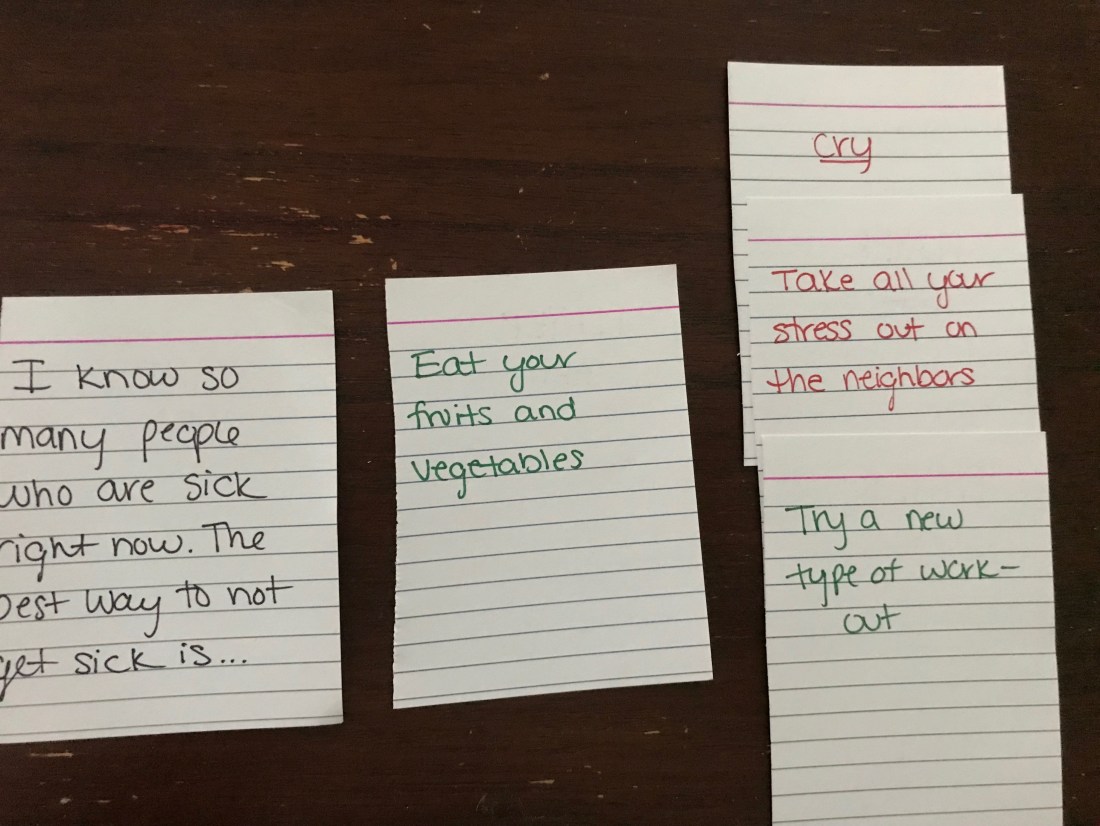
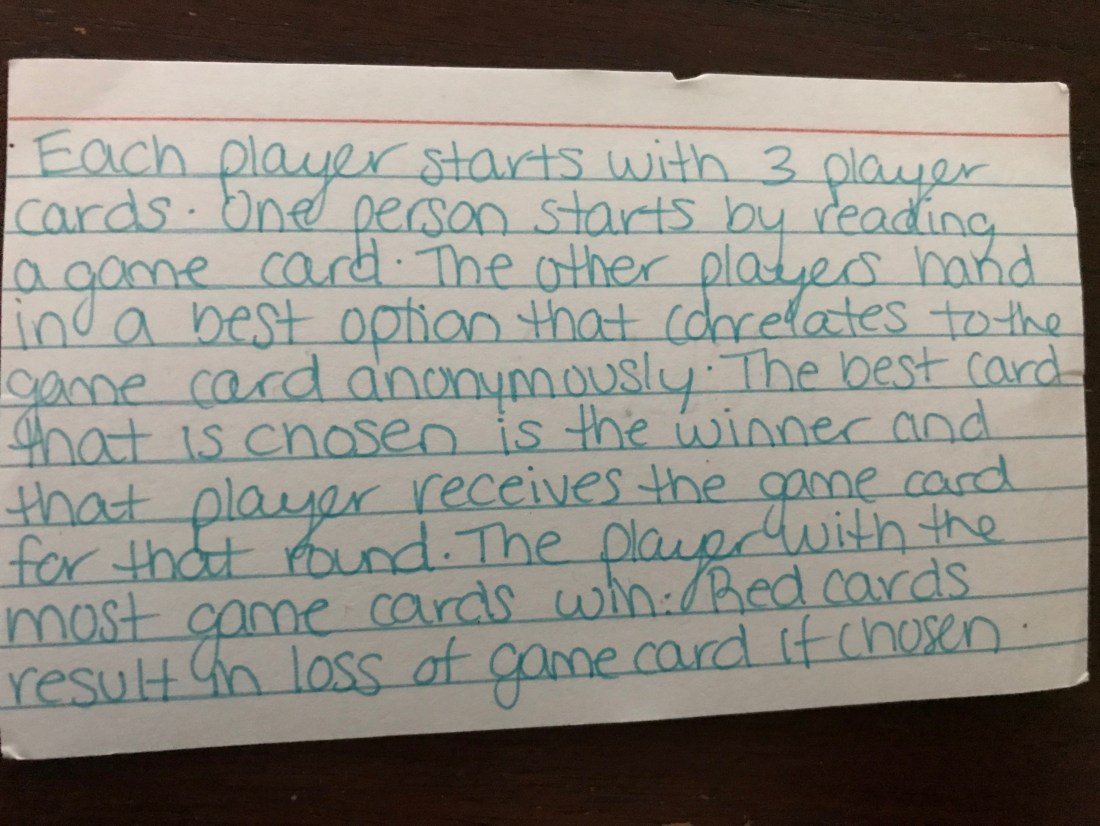
This is the final round of playing my new health card game after applying the critiques from the SWOT last week. I made a few more cards for the game so that the game can last a little longer. I made a rule card as well to explain all the rules. It is down below! I took a few more pictures from the games including a few of my favorite rounds including the card that was the winner. Also, here is a link to a Quizlet I made to use in order to make the cards on your own at home! I hope you enjoy this game and I hope it helps you choose healthier choices!!!

Rule Card:

IMG-0498 (1)

Final round cards, the winning card is in the middle:

img-0497.jpg

img-0496.jpg

img-0495.jpg

GFH Module 4–Sam–Health Game–Draft 3

In class, I showed my game to a few classmates. We played a few rounds of the game which lasted about 5 minutes each. I took a picture of the game set up before we started playing and after we played, I had my classmates fill out a SWOT analysis at the end. The pictures are below!

IMG-0493

IMG-0494

Round 5 Projects–Dance Games

This week I compared Just Dance and Dance Central. Unfortunately, I don’t have the technology required to physically play the games so I watched a few reviews to see what some of the main features were that people either liked or disliked. My two favorite reviews talked a little bit about all aspects of the games. For Just Dance, this review taught me that there is a wide variety of songs, the backgrounds don’t match the songs, and you are only being tracked by your right hand. This video explained how the songs were mostly pop but there were also songs from different time frames that didn’t really fit in. The backgrounds didn’t match the songs and some were quite strange. This may only bother people who are not playing the game because the people playing the game are probably too focused on hitting the dance moves to pay attention to what’s going on in the background. Also, this review talked about the Wii version of Just Dance and critiqued it because you are only being tracked by your right hand. The dancing can be cheated this way because it isn’t tracking the full body movements.

For Dance Central,  the video was about PS4 which tracked the whole body movements so you couldn’t cheat your way through the dance moves like in Just Dance. Dance Central also, in its newest version, has a story plot which requires the players to go back in time. This idea or a storyline is smart because it allows for a wider variety of music from all different times without the songs seeming out of place in a game that is dominated by pop music. Also in Dance Central, the backgrounds make more sense to the songs where the background is a club or even a street rather than an abstract background or a background that doesn’t make sense in Just Dance.

Some small differences between these games are noticeable. In Just Dance, the dance ques com across the bottom of the screen wherein Dance Central, the dance ques come on the right side of the screen almost like flashcards with titles to them. Just Dance ques slide across the bottom and don’t have titles. This is something to consider when debating between which game to play. Also, Just Dance has the song lyrics present on the screen where Dance Central does not. This also may be more of a feature to satisfy the people not playing because the people playing are probably too focused on dancing to read the lyrics as well. To add on to the differences, Just Dance has a cell phone app that allows players to use their cell phones as controllers. However, there can’t be a mix of types of controllers, if one person uses a cell phone, everyone has to. This could also solve the problem of not having enough controller for the number of people who want to play as long as everyone has a cell phone.

Overall, I think that these two games are pretty equal in my eyes. The small differences all depend on the person who wants to play the game. If someone is interested in purchasing one of these games I would definitely recommend doing some research beforehand to see which game would be best for them. Below are the review videos that I watched and my own Knovio review.

Just Dance Review:

Dance Central Review:

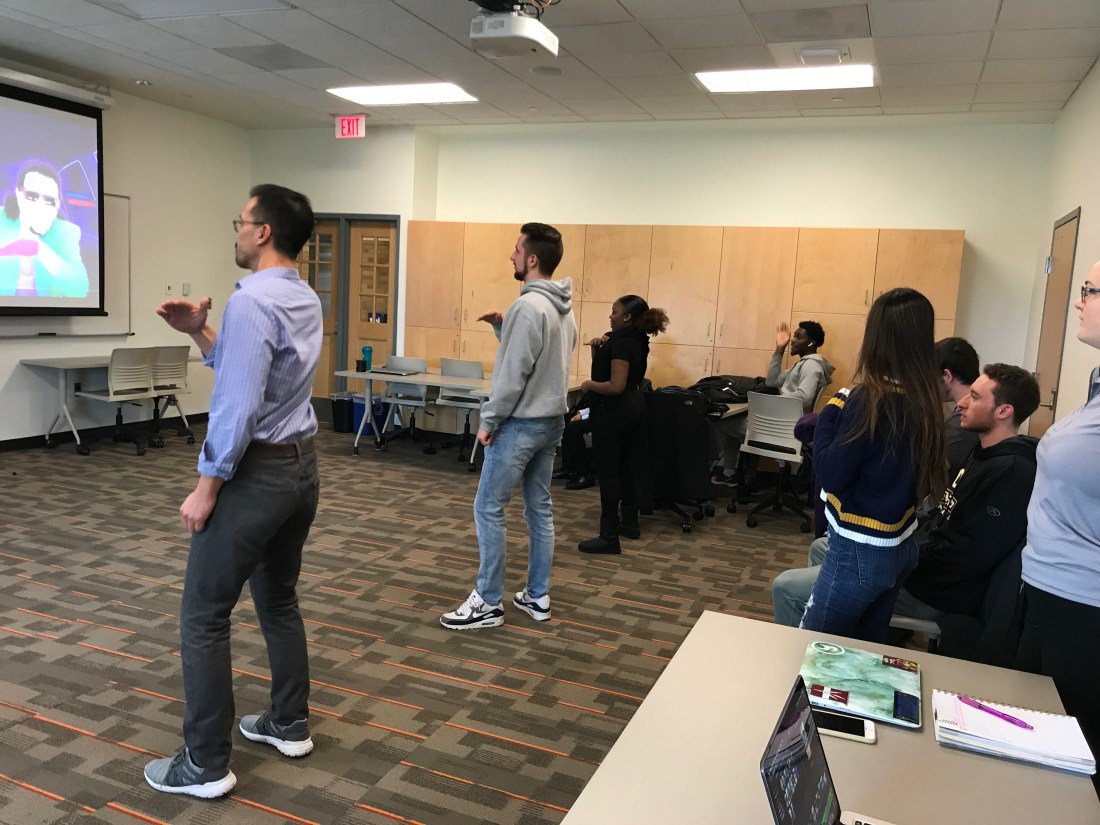
In class, we decided to test out both games to see which game was preferred. Overall, almost everyone enjoyed Just Dance more. They liked the songs and the dance moves more. We did 2 songs from each game to really get the feel of it. However, we were just mimicking a Youtube video, we were not actually playing the game. This could have swayed the decision of which game was the favorite. In the reviews, Just Dance was liked less because it is a Wii game and the dances were only registered by one hand. By playing Dance Central where you couldn’t cheat the system and really had to dance, I wonder if this would’ve changed any minds on which game was the favorite. Here are some pictures from the in-class dance session.

IMG-0412 IMG-0405

IMG-0427

IMG-0416

My Knovio Review:

https://www.youtube.com/watch?v=nZQ-gpLtiq4

Reflection #5–Weeks 9&10

For this weeks reflection, I watched videos on Versus Virtual Fitness Trainer and On Demand Fitness. Versus Virtual Fitness Trainer is almost like a piece of equipment that you could find at a gym. However, it is actually like working out with a personal trainer because it tracks your weight with a smart sensor that can tell which weights you pick up, it can track your reps, and it can see your form. I think that this could be a great addition to all public gyms because it could help people start feeling more comfortable with their ability and knowledge to work out. Also, this programming could be a more affordable way to workout with a personal trainer. Once people have used this program a few times they may be able to start constructing their own workouts based on what they enjoyed most and will be able to know proper form, reps, and weights. I also thought that On Demand Fitness looked like a cool idea because my initial thought was that On Demand means you don’s have to leave your house to work out. In the video, it was advertised as a kiosk or a separate room in a gym setting with a big TV that could be rented out to be used for groups. This is a great idea because people can choose who they’re working out with and will feel comfortable working out with people of their choice. Also, this is a great way for people to try new workouts and get the guidance some people may need or want at the gym. These programs can also help people stay on track with their workouts or give them the opportunity to try something new in a safe, judge-free area. Both the Versus Virtual Fitness Trainer and On Demand Fitness are both programs that I think would do well in all gyms and can help people try new things. Check out my Knovio about this reflection!

https://www.youtube.com/watch?v=gpZxIG9-HyQ&t=1s

GFH Module 3–Samantha Duncan–HSC 230–Draft 2

I shared my game for health with Ellie. I talked to her about how the game works and the purpose of the game. I explained how this game is supposed to be like “Cards Against Humanity” and it should be a funny game with an underlying purpose to teach people better ways to cope with stress. I also explained how obviously this game will be played to try to get the funniest response even if it is not the healthiest choice. However, I think that even by seeing bad options compared to good options it’ll help people later when they’re debating between a healthy or less healthy choice. Here is what Ellie thought about my game:

Liked:

  • concept behind it
  • green=healthy/red=unhealthy cards to help decipher
  • its similar to a common game played often and many people know about it
  • many people can play, not a distinct number per game

Disliked:

  • probably won’t live up to the actual “Cards Against Humanity” game
  • could get boring over time
  • need to have lots of cards for it to not be repetitive
  • could give the wrong idea towards unhealthy options because they would be the funnier choice

Round 4 Projects–Photos

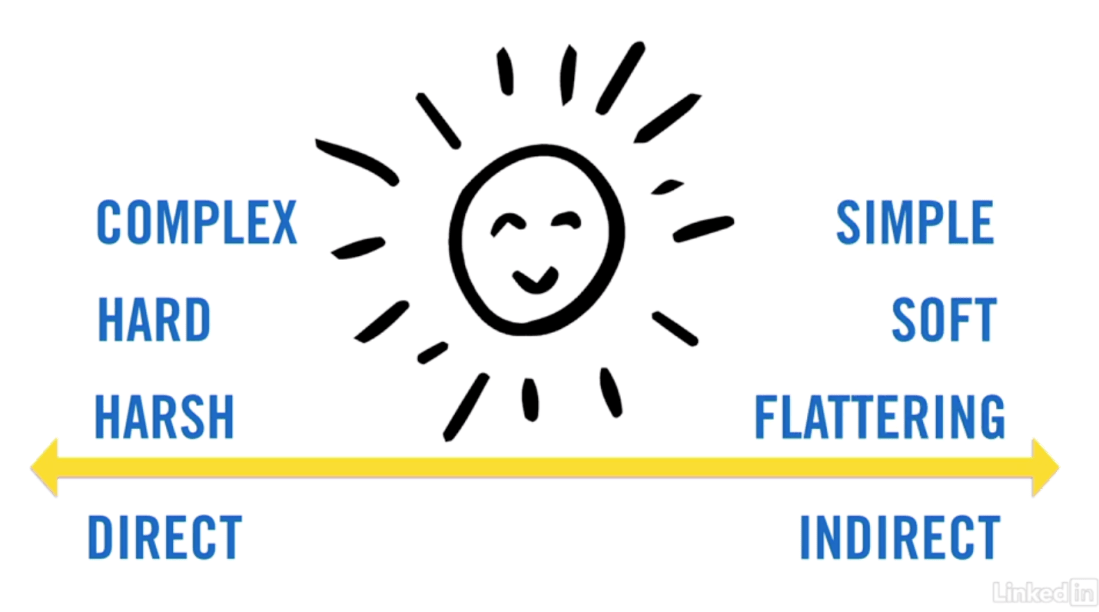
This week I had to take pictures differently than I ever had before. In order to properly take good pictures, I watched some videos to learn how to take better pictures. The video that I chose focused on portraits rather than landscape because I felt as though I could use more work on taking portraits. I am more used to taking pictures of landscapes and things that are generally not me or people. The main focus of the videos focused on lighting. Backlight, or indirect light, stood out to me because he described it as flattering and soft which I think are good qualities to have when taking portraits. Also, he mentioned side light which we tried to recreate in some of our pictures. It was very interesting to find that he recommended sunlight to come from behind the person being photographed because I feel like it is usually thought to face the sun straight on. However, he described the direct sunlight as harsh and unflattering. These videos about lighting really helped me when it came time to take portrait pictures. Screen Shot 2018-11-14 at 5.08.04 PM
Also, I read a review about some editing apps and found one about Snapseed that really resonated with me. The article focused on the features of Snapseed. I learned from this article to not overuse one filter on a picture. It is better to use less of one and then use multiple filters instead. By doing this, it helps the balance and the contrast of the picture. I used this advice when editing my pictures. On almost all of my pictures, I used around 7 different filters or “tools” to adjust the picture to my liking but I did not use one significantly more than the others. Also from this article, I learned that editing pictures on a computer is better than editing them on phone apps because there are usually more features on computers. From this, I decided to edit some of my pictures on Snapseed and some on my laptop through flickr.

Screen Shot 2018-11-14 at 4.22.53 PM

I chose Snapseed not only because of the article that I read about it but also because it has so many features and filters to edit pictures. Here are some screenshots of what the Snapseed app looks like on an iPhone.

IMG-0291.JPGIMG-0292.JPG

I chose to edit my pictures also through flickr because I not only wanted to see if I saw a difference between editing pictures on a phone and a computer but I also wanted to see what the site had to offer. It is a website specifically for sharing pictures, kind of like Instagram so I figured it would have some cool features and it did. I liked working on flickr more than I liked working on Snapseed. Snapseed almost had too many “tools” to edit pictures and most of them I never noticed a true change in my pictures. Flickr had fewer features but each one was easy to use and understand where Snapseed had so many and I was unclear of what most of them did. Here are some screenshots of what editing pictures on flickr was like.

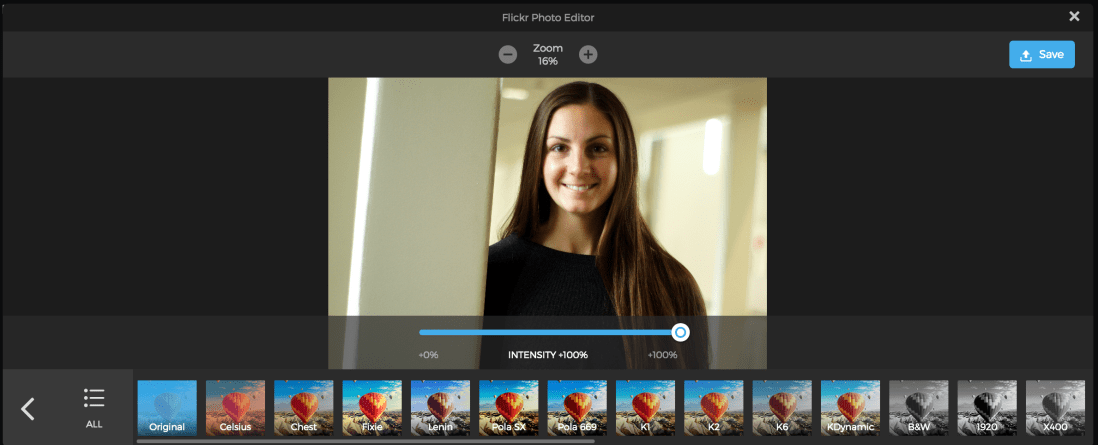
Screen Shot 2018-11-14 at 6.06.39 PM.png

Screen Shot 2018-11-14 at 6.06.22 PM.png

Screen Shot 2018-11-14 at 6.06.03 PM.png

Some of the photos I edited on Snapseed were a few of my landscape pictures. Here are 2 before and after pictures that I kept to see what editing can really do for a picture.

Before:
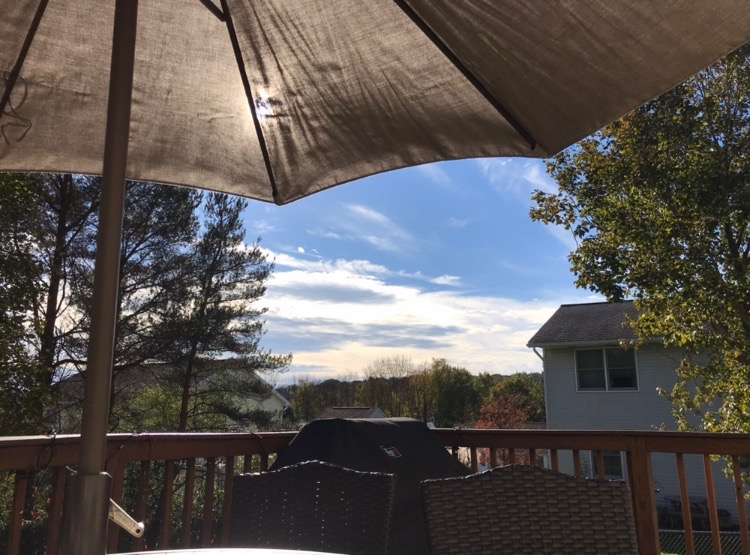
IMG-0287.JPG

After:

IMG-0288.JPG

Before:

IMG-0289.JPG

After:

IMG-0290.JPG

Some picture I edited on flickr through the website to see the difference between editing using an app and editing on the computer. The pictures that I edited with flickr were the portraits.

Before:

DSC07802 (1).JPG

After:

44060063530_de449f2051_o.jpg

Before:

DSC07860 (2).JPG

After:

45827051212_2aa63cef2b_o.jpg


Overall, this project was very interesting and eye-opening. It is much harder to take pictures whether it be portraits, landscapes, or abstract. However, even though this project was difficult and a bit out of my comfort zone, it helped me learn a skill that will be very useful for years to come in a career in the health field. I also did not know how many resources are out there to help people become better photographers and I learned so much from just the few videos and articles that I read for this project. It is a good feeling knowing that your own website or post is a picture that no one else has because you are the one who took that picture. Don’t forget to follow my Instagram, Flipboard, Flickr, and subscribe to my Youtube channel!

Also, here is a collage of some of my favorite pictures from this project!

IMG-0298.JPG

Here is my video on Youtube about how editing my pictures went. I compared editing on Snapseed versus editing on flickr!

https://youtu.be/ozVQOFg0HEQ
GFH Module 2– Samantha Duncan– GFH Sketch– HSC 230 Draft 1

My game for health is kind of like Cards Against Humanity but completely health related. The game cards suggest a situation with 1 or 2 blanks to fill in by the other players using the player cards. For example, one game card may say “I feel lazy and tired but I have so much work to do. I should                 .” Some player cards that may be played for this game would be “Cry”, “Go for a run”, “Take a nap”, or “Eat a salad”. The cards that suggest less healthy options will be red and the healthier options will be green. So in this case, the “Cry” card and the “Take a nap card” would be red and the “Go for a run” card and the “Eat a salad” card would be green. The goal of this game is to get as many game cards as possible and to do this, you must have the best option for that card. This game should be played with at least 3 players but more is better. The players will take turns being the person who reads the game card. When it is the players turn to read the game card, the other players will be giving the reader their player cards without the reader knowing who gave which card. The best, most healthy option wins and the person that gave that player card will receive the game card for that round to keep. The game can be stopped either at any time or when all of the game cards run out. At the end of the game, the person with the most game cards is the winner. Here is the sketch of my first draft:IMG-0265

Reflection #4

This week, I found one video and one article that focused on wearable technologies. The video that I watched was an advertisement for a wearable fitness tracker called Moov, and the article was about how fitness trackers are used for a period of time, but then diminish. Moov is like a Fitbit or an Apple Watch but it actually tracks specific movements to each type of workout and gives feedback. I think that this technology is great because it helps to push yourself with words of encouragement and it helps to correct your workout by saying things like “take longer strides” or “land softer while you run”. These corrections can help the user because by correcting form it makes the workout or exercise more beneficial than if it was done incorrectly. Also, corrections about how hard you are planting while running will help prevent injury or joint or tissue damage. Moov also can track specific workouts that Fitbits and Apple Watches otherwise couldn’t track like pushups or biking. This allows them to better understand the work that was put in where Fitbits and Apple Watches can only track steps and heart rate. The article that I read focused on how wearable technologies tend to fade in use after a while and I couldn’t agree more. I once wore a Fitbit all day, every day. However, my Fitbit could only track my sleep and my steps. If I ever spent time weightlifting it did not register that I was participating in physical activity. This article specifically explains how at first, people with Fitbits are getting lots of steps and are competing with other people, but after an extended period of time, people stop wearing their Fitbits or they stop caring about fulfilling their goals. One person explained how when they first were tracking their exercise with a Fitbit they would mostly do cardio only to fulfill their step requirements. After some time passed, this person said that they no longer focus only on cardio but are now also focusing on weight training. Wearable fitness trackers can help people track their fitness but they are usually short-lived. After learning about the Moov fitness tracker, I think all fitness trackers should have this feature incorporated into them so that people get “credit” for all types of workouts. This would also be more beneficial to people because fitness should not focus on one area like cardio, it should be more holistic and include weight training exercises, biking, swimming, and form. I imagine that if fitness trackers had more qualities like Moov then they would not be forgotten about as quickly and as easily as fitness trackers that only register movements like walking or running. Watch my Knovio discussion about this reflection!


GFH Module 1–Samantha Duncan–HSC 230–Sex Ed Health Game

The games that I played for module 1 of games for health were the Broken SexPhone game and the Sexy Singing game. I chose these games mainly because they were the simplest games to play and took the least amount of time to set up when my friends and I decided we wanted to play a game. These games were not only fun but they were also funny. They were also very low-key about teaching a lesson which is probably why they were so fun. Sometimes with health games, it can feel very robotic and more like a health lecture rather than a game. I think this health game is great because it has very simple instructions and it teaches a lesson without being boring.

Screen Shot 2018-11-05 at 8.45.24 AM.pngSWOT Analysis:

Strengths: 

  • Fun and interactive
  • Subtle learning
  • Creative
  • Short set up time

Weaknesses: 

  • Could let people pick their own songs
  • Could let people pick their own fake rumors

Opportunities: 

  • Could be made into an app
  • Can target many age groups (just change the songs)

Threats:

  • May be too simple of a game
  • Could possibly need more variety

Screen Shot 2018-11-05 at 8.39.05 AM.png

Screen Shot 2018-11-05 at 8.39.52 AM.png

Reflections Weeks 5&6

This week an article that stuck out to me the most was about using people’s DNA to be able to help prevent and treat diseases. This article is called White House Details ‘Precision Medicine’ Initiative and I found it very intriguing because I am very interested in figuring out how or why people get diseases and the best ways to cure them. This article explained how DNA sequencing can be used to first understand what diseases a person may be most likely to get. Therefore, doctors can personalize prevention programs for specific people based on their own genetic makeup. However, if people already have diseases, this DNA sequencing can be used to determine which treatment options would be the most effective. This is beneficial because people can save money, time, and frustration when trying to cure their illnesses.

Another video that I watched focused on a clinical trial about health care professionals being able to track their patients more efficiently and more effectively by giving them the technology to do so. Wearables give doctors access to real-time data about their patients which also makes it simpler for doctors to figure out what their patients need. The wearables give information like heart rate, sleep time, motion, body position, and events like tremors. I thought that this video could also relate to precision medicine because it would allow doctors to be able to track their patients if they prescribed anything from exercise to sleep. Also, for people with heart conditions, heart rate can be monitored as well.